Local Tax
Local taxes, such as school district, county or local income taxes can be created here.
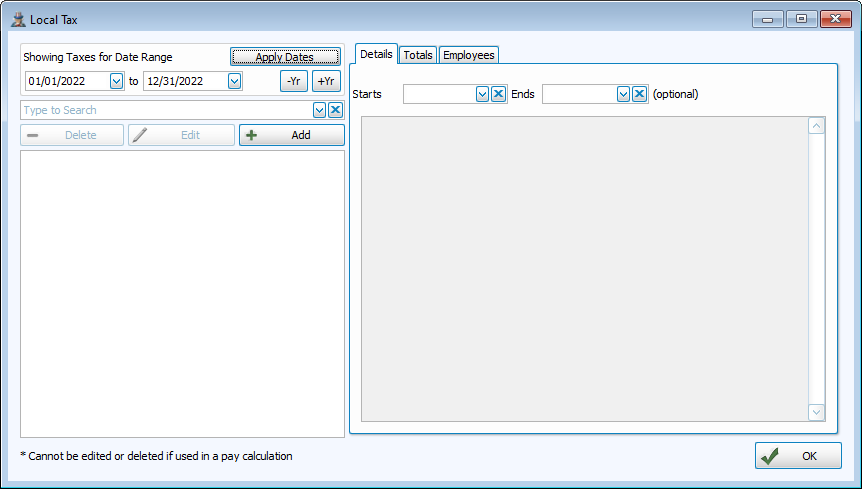
Access Local Tax
To access from the Button Bar, go to Data Setup > Local Tax

Note: Depending on the needs of your State, as set in System Administration, your screens may have additional options and fields than shown below.
Setup New Local Tax
-
Click
 on the Local Tax screen.
 -
Description
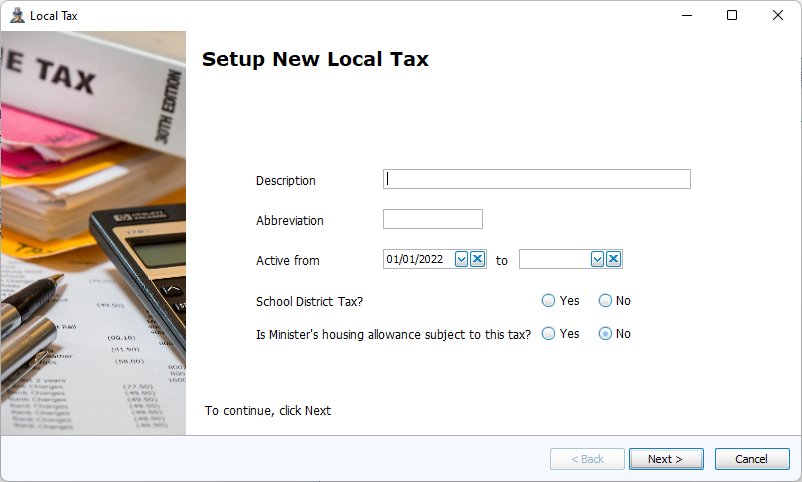
Enter a description, abbreviation and a start date. Answer whether this is a school district tax and whether Minister's housing allowance should be included in taxable income.
-
School District Tax
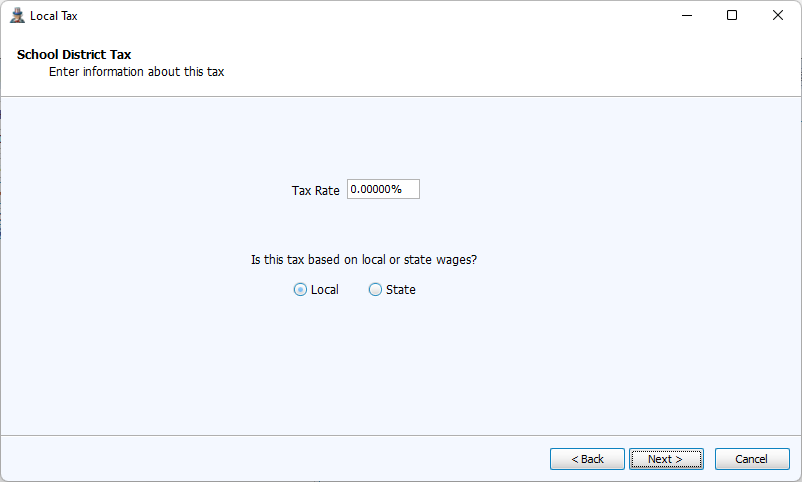
On the next screen, review the settings and click Finish.
-
Other Local Tax
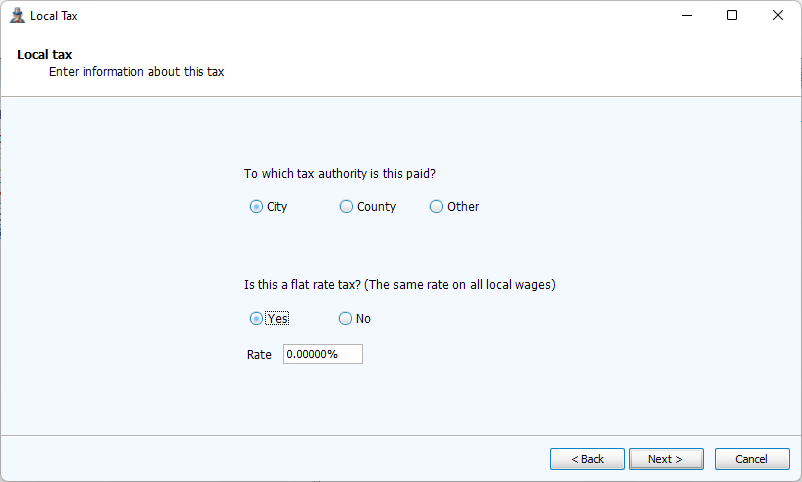
If it is not a School District tax, then select whether the tax has a flat rate or graduated rate. For a flat rate tax, enter the percentage. Most local taxes are set at a flat rate. Review the settings on the next screen and click Finish.
-
Graduated Rate Deductions and Exemptions
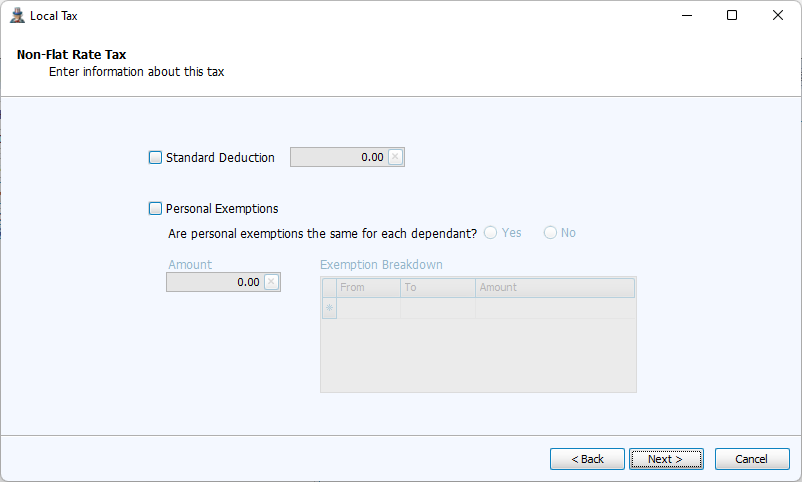
For graduated rate taxes, indicate whether there is a standard deduction amount and personal exemptions.
-
Graduated Rate Ranges
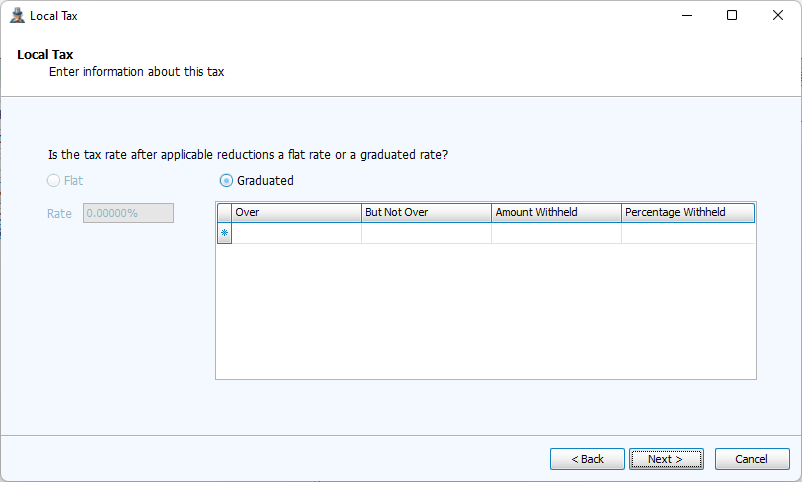
For graduated rates, you'll enter the lows and highs for a wage bracket in the Over and But Not Over columns and the associated rate or amount.
-
On the Summary, click Finish to exit.